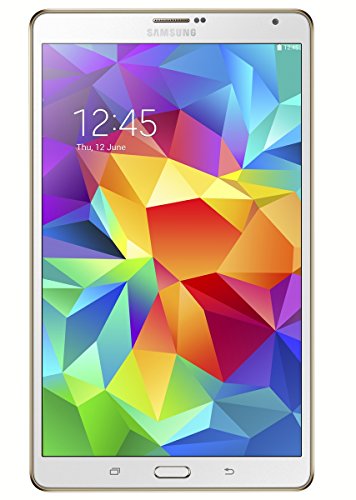
Dell Venue 8 Pro 4G (4GB + 32GB) recensie. Vergelijk 168 technische specificaties en gebruikersreviews om te zien hoe dit model scoort binnen tablets en of het de aankoop waard is.
Totaalscore
Wat Is het?: Een algemene evaluatie van de kwaliteit van de smartphone, gebaseerd op technische analyses en gebruikersbeoordelingen.
Wanneer is het belangrijk?: Wanneer je een snelle referentie nodig hebt om de beste Tablets op de markt te identificeren.
Scorecomponenten:
90.0%
Technische score
10.0%
Gebruikersscore
Technische score
Wat Is het?: Een beoordeling van de technische prestaties van de smartphone, verdeeld over acht kerngebieden: prestaties & hardware, software, camera, connectiviteit, display, batterij, audio en design.
Wanneer is het belangrijk?: Wanneer je Tablets wilt vergelijken op basis van technische prestaties en beschikbare functies.
Scorecomponenten:
22.0%
Prestaties
20.0%
Scherm
16.0%
Camera
14.0%
Batterij
12.0%
Connectiviteit
8.0%
Software en functies
5.0%
Ontwerp
3.0%
Audio en multimedia
Gebruikersscore
Wat Is het?: Een score die gebruikersbeoordelingen combineert met het totale aantal ontvangen reviews voor de smartphone.
Wanneer is het belangrijk?: Wanneer je wilt weten hoe een smartphone presteert bij dagelijks gebruik en hoe betrouwbaar deze op de lange termijn is volgens gebruikersbeoordelingen.
Scorecomponenten:
70.0%
Gebruikersbeoordelingen
30.0%
Populariteit
Scorecomponenten:
25.0%
RAM-capaciteit
20.0%
Verversingssnelheid
20.0%
GPU frequentie
20.0%
Chipset
15.0%
Batterijcapaciteit
Scorecomponenten:
20.0%
Chipset
20.0%
Batterijduur
20.0%
RAM-capaciteit
10.0%
Gewicht
10.0%
Interne opslag
10.0%
Toetsenbordaccessoire
10.0%
Schermgrootte
Scorecomponenten:
30.0%
RAM-capaciteit
25.0%
Chipset
20.0%
Interne opslag
15.0%
Schermgrootte
5.0%
Toetsenbordaccessoire
5.0%
Stylus inbegrepen
Scorecomponenten:
20.0%
Schermgrootte
20.0%
Batterijduur
20.0%
Gewicht
20.0%
RAM-capaciteit
20.0%
Chipset
Scorecomponenten:
25.0%
Batterijcapaciteit
25.0%
RAM-capaciteit
15.0%
Gewicht
15.0%
Interne opslag
10.0%
Schermgrootte
10.0%
Prijs
Scorecomponenten:
20.0%
RAM-capaciteit
20.0%
Batterijduur
15.0%
Chipset
15.0%
Gewicht
10.0%
Celmodule
10.0%
5G-connectiviteit
5.0%
GPS
5.0%
Interne opslag
Available: ranking among products currently available (including other versions of this product).
All: ranking among all products in the database.
#42 in Beste Dell tablets
#163 in Beste tablets voor kinderen
#333 in Beste 8-inch tablets
#339 in Beste Windows tablets
#874 in Beste tablets voor ouderen
#1131 in Beste tablets om te tekenen
#1492 in Beste tablets met simkaart
#1937 in Beste tablets met toetsenbord
#2395 in Beste tablets
Wat Is het?: Een beoordeling van de technische prestaties van de smartphone, verdeeld over acht kerngebieden: prestaties & hardware, software, camera, connectiviteit, display, batterij, audio en design.
Wanneer is het belangrijk?: Wanneer je Tablets wilt vergelijken op basis van technische prestaties en beschikbare functies.
Scorecomponenten:
22.0%
Prestaties
20.0%
Scherm
16.0%
Camera
14.0%
Batterij
12.0%
Connectiviteit
8.0%
Software en functies
5.0%
Ontwerp
3.0%
Audio en multimedia
Wat Is het?: Een score die gebruikersbeoordelingen combineert met het totale aantal ontvangen reviews voor de smartphone.
Wanneer is het belangrijk?: Wanneer je wilt weten hoe een smartphone presteert bij dagelijks gebruik en hoe betrouwbaar deze op de lange termijn is volgens gebruikersbeoordelingen.
Scorecomponenten:
70.0%
Gebruikersbeoordelingen
30.0%
Populariteit
Wat Is het?: Een indicator die de algemene beoordeling van de smartphone combineert met de kosten.
Wanneer is het belangrijk?: Wanneer je op zoek bent naar een smartphone met een goede balans tussen kwaliteit en prijs.
Scorecomponenten:
60.0%
Totaalscore
40.0%
Prijs
Belang: GEMIDDELD
Belang: HOOG
Aanbevolen waarde: >=8 GB
Belang: HOOG
Aanbevolen waarde: <7 nm
Belang: HOOG
Aanbevolen waarde: >=128 GB
Belang: HOOG
Aanbevolen waarde: >1300
Belang: HOOG
Belang: HOOG
Belang: HOOG
Belang: GEMIDDELD
Aanbevolen waarde: >3500
Belang: GEMIDDELD
Aanbevolen waarde: >=8 GB
Belang: GEMIDDELD
Aanbevolen waarde: 5
Belang: GEMIDDELD
Aanbevolen waarde: >20 GB/s
Belang: GEMIDDELD
Belang: GEMIDDELD
Aanbevolen waarde: >7 W
Belang: GEMIDDELD
Aanbevolen waarde: >2500
Belang: GEMIDDELD
Aanbevolen waarde: >800
Belang: GEMIDDELD
Aanbevolen waarde: >8
Belang: GEMIDDELD
Aanbevolen waarde: >900 MHz
Belang: GEMIDDELD
Belang: GEMIDDELD
Aanbevolen waarde: >3000
Belang: GEMIDDELD
Aanbevolen waarde: >1200
Belang: GEMIDDELD
Aanbevolen waarde: >3200 MHz
Belang: GEMIDDELD
Aanbevolen waarde: >400
Belang: GEMIDDELD
Belang: GEMIDDELD
Aanbevolen waarde: 8+
Belang: GEMIDDELD
Belang: GEMIDDELD
Aanbevolen waarde: >800 MHz
Belang: GEMIDDELD
Belang: GEMIDDELD
Belang: GEMIDDELD
Aanbevolen waarde: >10000 miljoen
Belang: LAAG
Aanbevolen waarde: >=4 MB
Belang: LAAG
Aanbevolen waarde: >64 KB
Belang: LAAG
Aanbevolen waarde: >=1 MB
Belang: LAAG
Belang: LAAG
Aanbevolen waarde: 4
Belang: LAAG
Aanbevolen waarde: >=512 GB
Belang: LAAG
Aanbevolen waarde: 2.0/3.0
Belang: LAAG
Aanbevolen waarde: 3.2
Belang: LAAG
Aanbevolen waarde: 3.3
Belang: HOOG
Belang: HOOG
Aanbevolen waarde: >=120 Hz
Belang: HOOG
Belang: HOOG
Aanbevolen waarde: >250 ppi
Belang: HOOG
Belang: GEMIDDELD
Aanbevolen waarde: >500 nits
Belang: GEMIDDELD
Aanbevolen waarde: >=11 inch
Belang: GEMIDDELD
Belang: GEMIDDELD
Aanbevolen waarde: >120 Hz
Belang: GEMIDDELD
Belang: GEMIDDELD
Belang: GEMIDDELD
Belang: GEMIDDELD
Aanbevolen waarde: >200 Hz
Belang: GEMIDDELD
Aanbevolen waarde: >250 ppi
Belang: GEMIDDELD
Aanbevolen waarde: >400 nits
Belang: GEMIDDELD
Belang: LAAG
Belang: LAAG
Belang: LAAG
Belang: HOOG
Belang: HOOG
Belang: HOOG
Aanbevolen waarde: >=8 MP
Belang: HOOG
Belang: HOOG
Belang: GEMIDDELD
Belang: GEMIDDELD
Belang: GEMIDDELD
Belang: GEMIDDELD
Belang: LAAG
Belang: LAAG
Belang: LAAG
Belang: LAAG
Belang: LAAG
Belang: LAAG
Belang: LAAG
Belang: LAAG
Belang: LAAG
Belang: LAAG
Belang: LAAG
Belang: LAAG
Belang: LAAG
Belang: LAAG
Belang: LAAG
Belang: LAAG
Belang: LAAG
Belang: LAAG
Belang: LAAG
Belang: LAAG
Belang: LAAG
Belang: LAAG
Belang: LAAG
Belang: HOOG
Aanbevolen waarde: >8000 mAh
Belang: HOOG
Aanbevolen waarde: >30 W
Belang: HOOG
Aanbevolen waarde: >10 uur
Belang: GEMIDDELD
Belang: GEMIDDELD
Belang: LAAG
Belang: LAAG
Belang: HOOG
Belang: HOOG
Belang: HOOG
Belang: GEMIDDELD
Belang: GEMIDDELD
Belang: GEMIDDELD
Belang: GEMIDDELD
Belang: GEMIDDELD
Belang: GEMIDDELD
Belang: GEMIDDELD
Belang: GEMIDDELD
Belang: GEMIDDELD
Belang: GEMIDDELD
Belang: LAAG
Aanbevolen waarde: >5.2
Belang: LAAG
Belang: LAAG
Belang: LAAG
Aanbevolen waarde: 3.1/3.2
Belang: LAAG
Belang: LAAG
Belang: LAAG
Belang: LAAG
Belang: LAAG
Belang: LAAG
Belang: LAAG
Belang: LAAG
Belang: LAAG
Belang: HOOG
Belang: HOOG
Belang: HOOG
Belang: GEMIDDELD
Belang: GEMIDDELD
Belang: GEMIDDELD
Belang: GEMIDDELD
Belang: GEMIDDELD
Belang: GEMIDDELD
Belang: GEMIDDELD
Belang: GEMIDDELD
Belang: LAAG
Belang: LAAG
Belang: LAAG
Belang: LAAG
Belang: LAAG
Belang: LAAG
Belang: LAAG
Belang: LAAG
Belang: LAAG
Belang: LAAG
Belang: GEMIDDELD
Belang: GEMIDDELD
Aanbevolen waarde: <500 g
Belang: GEMIDDELD
Belang: GEMIDDELD
Belang: GEMIDDELD
Aanbevolen waarde: <10 ms
Belang: GEMIDDELD
Aanbevolen waarde: >7
Belang: GEMIDDELD
Belang: GEMIDDELD
Belang: LAAG
Aanbevolen waarde: <7 mm
Belang: LAAG
Belang: LAAG
Belang: LAAG
Belang: LAAG
Belang: LAAG
Belang: GEMIDDELD
Aanbevolen waarde: >=2
Belang: GEMIDDELD
Belang: GEMIDDELD
Belang: GEMIDDELD
Aanbevolen waarde: >=4
Belang: LAAG
Belang: LAAG
Belang: LAAG
Belang: LAAG
Belang: LAAG
Belang: LAAG
Belang: LAAG
Belang: HOOG
Belang: GEMIDDELD
Belang: GEMIDDELD
Aanbevolen waarde: <500 g
Belang: LAAG
Belang: GEMIDDELD
Belang: HOOG
Aanbevolen waarde: >=8 MP
Belang: GEMIDDELD
Belang: HOOG
Belang: HOOG
Belang: LAAG
Belang: GEMIDDELD
Belang: GEMIDDELD
Belang: LAAG
In a 2015 review for Words on the Word, the Dell Venue 8 Pro is described as a "tablet-as-computer" that brings the full Windows 8.1 experience to a portable, budget-friendly 8-inch device, capable of running desktop applications like Accordance. Key pros include the ability to run "full-bodied" Windows software rather than limited mobile apps, offering high utility in a small form factor. However, significant cons are noted regarding poor battery life during sleep, with the tablet failing to hold a charge when idle. Furthermore, the reviewer finds the Windows gesture-based interface less intuitive than the iPad. Ultimately, while deemed a powerful, cost-effective secondary device for those in the Windows ecosystem, it fails as a primary machine due to limited storage and the lack of certain productivity apps, with the larger Venue 11 Pro suggested for better performance.
Thorsten Hans presents the Dell Venue 8 Pro as a versatile, portable tool capable of running full Windows 8.1 Pro, bridging the gap between a tablet and a compact PC by supporting essential business services like OneDrive for Business and multiple Exchange accounts. The 8-inch screen provides excellent resolution and high contrast for reading and media, while the 5 MP rear camera and ergonomic design, featuring a convenient side-mounted Windows button, are highlighted as significant hardware strengths. Performance is deemed highly reliable for daily office tasks, with approximately 8.5 hours of battery life, although optimal productivity for note-taking requires an external keyboard.
The Dell Venue 8 Pro is highlighted as a standout 8-inch tablet capable of running full Windows 8.1, offering a portable, productive experience complete with Microsoft Office 2013. The device boasts solid build quality with a textured, easy-to-grip back and a vibrant 1280x800 IPS display, delivering great performance for its price point. Key advantages include the efficient Intel Atom Bay Trail processor, which balances smooth, light multitasking with impressive 8–10 hour battery life, along with expandable storage via a microSD card slot. However, the review notes drawbacks, including the awkward side placement of the Windows button and the lack of a built-in HDMI port for external display connectivity. Although the on-screen keyboard can feel cramped, the tablet is highly recommended when paired with a Bluetooth keyboard, especially for users needing a pocketable PC. Despite mediocre camera quality and limited 32GB base storage, the Venue 8 Pro is praised for its excellent balance of portability, price, and full PC functionality.
The Dell Venue 8 Pro is described as an impressive, portable 8-inch tablet capable of running full Windows 8.1, thanks to its powerful Intel Bay Trail processor. Praised for its robust, rubberized design and excellent battery life, the device comfortably serves as a productive,, pocketable workhorse. However, significant limitations include the absence of a dedicated display port for external monitors and a single MicroUSB port that prevents simultaneous charging and peripheral use. Additional design oddities, such as the misplaced Windows button, and inconsistent performance from the optional Dell Active Stylus—specifically regarding palm rejection—diminish the overall experience. Despite these shortcomings and a "wonky" stylus, the review concludes that the tablet's under-$300 price point offers incredible value for its class. Marius Masalar
The Dell Venue 8 Pro is an 8-inch Windows 8.1 tablet that provides a full desktop experience in a highly portable 0.84-pound design. It features a vibrant IPS display and can run full desktop applications, distinguishing it from mobile-only competitors. Powered by an Intel Atom processor, the device is suitable for everyday tasks, with significant value added by including Microsoft Office 2013 and offering 7-10 hours of battery life. However, the tablet has limitations, including limited storage on the 32GB model and a lack of dedicated video output ports, such as HDMI. The single micro-USB port requires dongles for peripheral use, and the optional stylus can be inaccurate, while desktop icons are difficult to navigate.
The Dell Venue 8 Pro is a well-built 8-inch tablet offering a full Windows 8.1 experience and solid, sturdy construction. It excels in web browsing and light multitasking but suffers from an awkwardly placed Windows home button on the top edge. Performance is capable for casual gaming, though the device struggles with intensive tasks, scoring only 14 in PC benchmarks. While including Microsoft Office, the small screen makes complex document editing difficult without peripherals. Key drawbacks include an underwhelming display, with the Lenovo Miix 2 8 recommended as a superior alternative, and a lack of dedicated video outputs. Additionally, the single micro-USB port hinders simultaneous charging and peripheral use, though battery life is respectable at over 10 hours. For the full, detailed review, visit Expert Reviews.
The Dell Venue 8 Pro is an 8-inch Windows 8.1 tablet featuring a solid build, a vibrant 1280x800 IPS display, and an Intel Atom Z3740D processor capable of handling standard productivity tasks. Its "soft-touch" design, optional active stylus support, and over 7 hours of real-world battery life make it a capable, portable device for roughly $200–$300. However, significant limitations exist, including the lack of a micro-HDMI port and reliance on a single microUSB port for both charging and peripherals. Additionally, reviewers found the top-edge placement of the physical Windows button awkward.
The Dell Venue 8 Pro is described as a pioneering 8-inch Windows 8.1 tablet that balances portability with the functionality of a full PC, driven by the efficient Intel Atom Z3740D Bay Trail processor. Key strengths include a bright, vibrant 1,280 x 800 IPS display, a comfortable, rubberized build for one-handed use, and pre-installed Microsoft Office 2013, adding significant value. However, the compact 8-inch screen makes the Windows desktop environment feel cramped, often requiring a stylus for navigation, while the absence of a micro-HDMI port restricts external display connectivity. Furthermore, the single micro-USB port hampers using peripherals while charging, and the 32GB base model offers very limited storage for user files. Despite these limitations, the device delivers over 10 hours of battery life and is praised as a high-value, highly portable, full-Windows solution.
The Dell Venue 8 Pro is a sturdy 8-inch Windows 8.1 tablet featuring a high-quality, 1280x800 IPS display suitable for media consumption, though it suffers from a low default auto-brightness setting. Powered by an Intel Atom Bay Trail processor and 2GB of RAM, the device offers zippy performance and includes Microsoft Office 2013, making it a capable, portable machine. However, it lacks a dedicated HDMI port and features awkward physical button placement, with the Windows button located on the top edge. Excelling in battery life, the tablet delivers over 10 hours of usage, although the 5-megapixel rear camera provides disappointing, noisy image quality. While supporting an Active Stylus, the accessory is sold separately, forcing reliance on the 10-point multitouch screen, which is generally responsive. Overall, the review highlights the tablet as a strong, versatile contender for general, mobile productivity.
The Dell Venue 8 Pro is lauded for its robust build quality, comfortable 8.9mm design, and a bright, accurate display. It offers the distinct advantage of running full Windows 8.1, enabling desktop application support that gives it a productivity edge over competitors. Key pros include this full OS compatibility, solid construction, and a competitive price point. Conversely, the tablet's performance is limited by an Intel Atom processor, which can struggle with tasks and lag, especially when compared to smoother Android or iOS alternatives. Additionally, the screen resolution is lower than many rivals, and the 32GB base storage is restrictive, serving as a notable con. Other weaknesses include mediocre speakers and performance bottlenecks under heavy load. Ultimately, the device is considered a superior, affordable Windows option compared to competitors like the Acer Iconia W4. However, prospective buyers are advised to weigh the benefits of a full Windows experience against its performance limitations.
The Computerworld review highlights the $300 Dell Venue 8 Pro as a capable, compact Windows 8.1 tablet featuring a fast Intel Atom Bay Trail processor, 2GB of RAM, and pre-installed Office 2013. Pros include excellent one-handed ergonomics, a vibrant display, and strong performance, making it a viable productivity tool. However, the device is criticized for its limited connectivity, featuring only a single micro-USB port and lacking native video output, alongside an awkwardly placed Windows button. The review concludes that despite these hardware compromises and optional stylus inconsistencies, the 8-hour battery life and full Windows experience offer great value.
The Dell Venue 8 Pro is a budget-friendly 8-inch tablet delivering a full Windows 8.1 experience, powered by an efficient Intel Atom "Bay Trail" processor capable of running desktop applications like Office 2013. Featuring a 395g, soft-touch design, the device excels in portability but is hampered by a 1280x800 resolution that makes text small, alongside limited storage on the 32GB model. Notable design drawbacks include an unconventional top-mounted Windows button and connectivity restricted to a single micro-USB port, which requires a specialized adapter for simultaneous charging and peripheral use.
The Dell Venue 8 Pro is a compact 8-inch Windows 8.1 tablet featuring a capable Intel Atom Bay Trail processor and an IPS display with high brightness. It runs full desktop software, includes Microsoft Office 2013, and offers 8–10 hours of battery life in a portable design with a grippy, rubberized back. While praised for its performance, the device is limited by a single micro USB port for charging and data, lack of built-in HDMI, and limited storage on the 32GB model.
The Dell Venue 8 Pro is a compact, 8-inch Windows 8.1 tablet featuring a bright, 1280x800 IPS display and a secure, rubberized grip, powered by a quad-core Intel Atom processor. Key pros include the ability to run full Windows software, excellent 8-10 hour battery life, a competitive price, and the inclusion of Office 2013, making it a strong portable productivity tool. Cons noted by the review include limited connectivity with only a single micro-USB port, lack of video out, challenging desktop navigation on a small screen, and issues with the optional stylus, along with relatively slow storage speeds.
The Dell Venue 8 Pro (5830) is characterized as a highly portable 8-inch Windows 8.1 tablet featuring an Intel Atom Bay Trail processor, capable of running full desktop applications like Photoshop, despite potential lag in CPU-heavy tasks. Key advantages include its vibrant 1280×800 IPS display, a textured, high-quality build, and up to 10 hours of battery life. The device is highly regarded for artists using the updated A03 Dell Active Stylus, which offers 256 levels of pressure sensitivity. Key drawbacks mentioned in the review include the lack of a dedicated HDMI port, requiring an adapter, and a uniquely positioned top-right Windows button that takes getting used to. The 32GB storage model is considered restrictive, making the 64GB version a better choice to accommodate Windows and software, while the single micro-USB port must manage both charging and data transfer. Additionally, the on-screen keyboard has been noted as oversensitive. For the full, detailed review and stylus updates, visit Tablets for Artists.
The Dell Venue 8 Pro is praised as a high-quality 8-inch Windows 8.1 tablet featuring a premium build, 400-nit IPS display, and capable Intel Atom Bay Trail performance suitable for multitasking and light gaming. Pros include excellent portability and roughly 8 hours of battery life, though it faces limitations with slow eMMC storage and the lack of a dedicated video output. Major cons involve the shared micro-USB port for charging and data, as well as restricted free space on the 32GB model. For more details, visit UMPC Portal. UMPCPortal
The Liliputing review characterizes the Dell Venue 8 Pro as a high-value "netbook killer" that delivers a full Windows 8.1 experience in a portable 8-inch form factor. Key pros include the bright, high-quality IPS display, comfortable soft-touch design, and strong performance from the Intel Atom Bay Trail processor. However, the tablet has notable limitations, specifically a lack of native video output and the presence of only a single micro USB port, which complicates simultaneous charging and peripheral use. Additionally, the Synaptics-based active stylus is criticized for inconsistent performance, and the 32GB base storage is quickly filled, though expandable via microSD. Ultimately, the review praises the device's sub-$300 launch price, inclusion of Office 2013, and overall value as a budget Windows tablet. Despite peripheral constraints, the Venue 8 Pro is recommended for those prioritizing portability and functionality.
The Dell Venue 8 Pro is identified as a portable Windows 8.1 tablet featuring a vibrant 8-inch IPS display (377 lux) and a comfortable, textured soft-touch back. Powered by an Intel Atom Z3740D processor with 2GB of RAM, it delivers responsive performance for daily tasks and includes a full version of Microsoft Office 2013. Battery life is robust, lasting over 8 hours on the Laptop Mag web surfing test. Key drawbacks include the awkward, top-edge placement of the Windows home button and a 1280 x 800 resolution that is lower than some competitors, resulting in minor pixelation. Connectivity is also limited by the lack of an HDMI port, with only a single micro-USB port available for charging and data.
The 2014 Ars Technica review concluded that the Dell Venue 8 Pro was a recommended, well-built 8-inch Windows 8.1 tablet, powered by an Intel Atom Z3740D processor and 2GB of RAM that delivered a "snappy" experience for both apps and basic desktop software. Key pros highlighted in the review included a vibrant 1280x800 IPS display, strong 8-hour battery life, and the inclusion of Microsoft Office, all in a portable, rubberized design. However, the device was limited by a 1280x800 resolution that lacked the density of competitors, a single micro-USB port that prevented simultaneous charging and accessory use, and a poor camera. For more details, visit Ars Technica. Ars Technica
The Dell Venue 8 Pro is a compact, 0.9-pound Windows 8.1 tablet featuring a sharp 8-inch IPS display and a textured, grooved back for a secure grip. It provides a premium-feeling, portable alternative to larger Windows hybrids. Powered by a quad-core Intel Atom "Bay Trail" processor and 2GB of RAM, the device delivers a smooth experience for web browsing and standard Windows applications. Its strong battery life, lasting 7.5 hours in video playback tests, outpaces many contemporary full Core i-series tablets. However, significant drawbacks include limited storage—leaving only about 10GB of free space on the 32GB model—and the awkward placement of the Windows button on the top edge. Additionally, essential accessories, such as the stylus and keyboard, were not available at launch. Despite these flaws, it is recommended as a solid, inexpensive value for those needing a small system capable of running full Windows EXEs.
De review van PC-WELT bestempelt de Dell Venue 8 Pro als een betaalbare 8-inch Windows 8.1-tablet, uitgerust met een IPS-scherm, Intel Atom Z3740D-processor en 2 GB RAM. Het apparaat biedt een volledige Windows-ervaring in een draagbaar formaat van slechts 380 gram, waarbij de achterkant met textuur zorgt voor een goede grip bij gebruik met één hand. Belangrijke pluspunten zijn de degelijke prestaties voor dagelijkse taken, de lange batterijduur en het vooraf geïnstalleerde Microsoft Office 2013. Keerzijden zijn de beperkte opslagruimte van het 32GB-model (waarvan slechts 11 GB beschikbaar is), het ontbreken van HDMI/DisplayPort en de gemelde onnauwkeurigheid van de stylus.
De Dell Venue 8 Pro staat bekend als een hoogwaardige, betaalbare 8-inch Windows 8.1-tablet met een Intel Atom Z3740D-processor en 2 GB RAM, speciaal ontworpen voor standaard kantoortaken in een compact formaat. Het apparaat wordt geprezen om zijn kwalitatieve IPS-scherm, de robuuste 'soft-touch' achterkant voor extra grip en een degelijke batterijduur van 8 tot 10 uur, waardoor het een sterke optie is voor mobiele productiviteit. Belangrijke pluspunten zijn de meegeleverde Microsoft Office 2013, de uitbreidbare microSD-opslag en een handige Windows-knop aan de zijkant voor een betere bediening. Kritische nadelen uit de review zijn de beperkte connectiviteit, specifiek het ontbreken van een HDMI-poort en het feit dat de enkele Micro-USB 2.0-poort voor zowel opladen als randapparatuur moet worden gebruikt. Daarnaast schieten de prestaties tekort bij zwaardere toepassingen en bleek de ondersteuning voor de actieve stylus minder nauwkeurig dan verwacht.
De Dell Venue 8 Pro is een compacte 8-inch Windows 8.1-tablet met een robuust, gerubberiseerd ontwerp en een IPS-scherm met goede kijkhoeken. Dankzij de Intel Atom Z3740D levert het apparaat prima prestaties voor dagelijkse taken, ondersteund door een indrukwekkende batterijduur van 8 tot 11 uur. Belangrijke pluspunten zijn de meegeleverde Microsoft Office 2013, een actieve digitizer en een microSD-slot voor extra opslag. Er zijn echter ook minpunten, zoals het ontbreken van een fysieke HDMI-poort voor externe schermen. Het 32GB-model biedt beperkte vrije ruimte en de interne eMMC-opslag is relatief traag. Daarnaast is de plaatsing van de Windows-knop op de bovenrand onhandig. Uiteindelijk blinkt de Venue 8 Pro vooral uit als een draagbaar en betaalbaar hulpmiddel voor productiviteit, in plaats van als een krachtpatser. De bouwkwaliteit en accuduur maken het een sterke speler in de markt voor kleine Windows-tablets. Kijk voor meer details op Notebookcheck.net.
De Dell Venue 8 Pro is een compacte, budgetvriendelijke 8-inch tablet die een volledige Windows 8.1-ervaring biedt met een hoogwaardige, gestructureerde behuizing en een scherp 1280x800 IPS-scherm voor multimedia. Aangedreven door een Intel Atom-processor met 2 GB RAM, voert hij dagelijkse taken vlot uit. Inclusief Microsoft Office 2013 en een batterijduur van 8 tot 10 uur voor productief gebruik. Belangrijke minpunten zijn de beperkte opslagruimte (met weinig vrije ruimte op het 32GB-model), de enkele micro-usb-poort waardoor je moet kiezen tussen opladen of randapparatuur, en een soms inconsistente optionele stylus.
De Dell Venue 8 Pro is een compacte 8-inch tablet die draait op een volledige versie van Windows 8.1, aangedreven door een Intel Atom "Bay Trail"-processor en 2 GB RAM. Het apparaat heeft een draagbaar ontwerp met een rubberen achterkant en levert vloeiende prestaties voor standaard Windows-applicaties. Belangrijke pluspunten zijn het heldere IPS-scherm met brede kijkhoeken en een degelijke batterijduur van 8 tot 10 uur. De tablet heeft echter beperkte aansluitmogelijkheden; zo ontbreken video-uitgangen en is een speciale adapter nodig om tegelijkertijd op te laden en USB-randapparatuur te gebruiken. De Windows-knop is onhandig aan de bovenkant geplaatst en de actieve stylus, die apart moet worden aangeschaft, krijgt kritiek vanwege wisselvallige prestaties. Daarnaast biedt het 32GB-instapmodel beperkte opslagruimte, al is dit uitbreidbaar via microSD.
De Dell Venue 8 Pro is een compacte 8-inch tablet die een volledige Windows 8.1-ervaring biedt, aangedreven door een Intel Atom 'Bay Trail'-processor en 2 GB RAM. Het stevige ontwerp met textuur zorgt voor een uitstekende draagbaarheid, terwijl het IPS-scherm een goede helderheid en kleurweergave biedt, waardoor het zeer geschikt is voor productiviteit onderweg. Het apparaat wordt geprezen om de lange batterijduur (8 tot 11,5 uur) en de uitstekende prijs-kwaliteitverhouding, waardoor gebruikers standaard desktop-apps zoals Microsoft Office kunnen draaien. De tablet heeft echter beperkte connectiviteit met slechts één micro-usb-poort voor zowel opladen als randapparatuur, en geen aparte HDMI-poort. De navigatie in Windows kan lastig zijn op het 8-inch scherm en het basismodel van 32 GB heeft beperkte vrije opslagruimte. Daarnaast is de fysieke Windows-knop onhandig op de bovenrand geplaatst.
De Dell Venue 11 Pro is een veelzijdige, zakelijk georiënteerde 10,8-inch tablet ontworpen om de concurrentie aan te gaan met de Microsoft Surface Pro 2, voorzien van een Full HD IPS-scherm, een verwijderbare batterij en optionele Core i5-processors. Hoewel het apparaat uitstekende modulariteit biedt, zijn de belangrijkste nadelen het zware gewicht van de tablet zelf en de dure, noodzakelijke toetsenbordaccessoires. De 8-inch Dell Venue 8 Pro biedt een zeer draagbaar ontwerp voor gebruik met één hand, draait op de volledige versie van Windows 8.1 en heeft een scherp display, maar kampt met beperkte connectiviteit und inconsistente prestaties van de actieve stylus. Beide apparaten worden geprezen om hun batterijduur en productiviteit, hoewel handmatige aanpassingen van het scherm nodig kunnen zijn om de agressieve standaardinstelling voor dimmen te corrigeren.
De Dell Venue 8 Pro is een compacte 8-inch Windows 8.1-tablet die een volledige desktopervaring biedt, waardoor standaardapplicaties gewoon bruikbaar zijn op het heldere 1280x800 IPS-scherm. Dankzij de Intel Atom Z3740D-processor en 2 GB RAM levert het apparaat vlotte prestaties voor dagelijks gebruik met een batterijduur van 8 tot 10 uur. Keerzijden zijn de onhandige plaatsing van de Windows-knop aan de bovenkant, het gebrek aan native video-uitgangen en de teleurstellende, onnauwkeurige ondersteuning voor actieve stylussen.
De review van de Dell Venue 8 Pro door 01net belicht een compacte 8-inch Windows 8.1-tablet die een volledige desktopervaring biedt voor een betaalbare prijs, voorzien van een hoogwaardig IPS-scherm en een comfortabele achterzijde met textuur voor extra grip. Dankzij de Intel Atom 'Bay Trail'-processor en 2 GB RAM verwerkt het apparaat standaard Windows-applicaties en Office 2013 efficiënt, wat het een handig hulpmiddel maakt voor lichte productiviteit. Het toestel wordt echter aanzienlijk beperkt door de opslagcapaciteit van 32 GB, waarvan na de installatie slechts zo'n 9 GB tot 11 GB vrije ruimte overblijft. Andere concessies om de prijs laag te houden zijn het ontbreken van een video-uitgang en de aanwezigheid van slechts één micro-usb-poort, die zowel voor opladen als voor randapparatuur wordt gebruikt. Hoewel de batterij een respectabele gebruiksduur van 8 tot 10 uur biedt, wordt de plaatsing van de fysieke Windows-knop op de bovenrand in reviews als onhandig ervaren. De Dell Venue 8 Pro, beschikbaar bij 01net, is ideaal voor gebruikers die een betaalbare Windows-tablet zoeken voor mediaconsumptie en basistaken, ondanks de opslagbeperkingen en de beperkte connectiviteit.
De WeAreMobians-review uit 2014 prijst de Dell Venue 8 Pro omdat deze een 'echte' Windows 8.1-ervaring biedt in een compact en draagbaar 8-inch formaat. Belangrijke pluspunten zijn de hoogwaardige, lichtgewicht bouw en het heldere IPS-scherm met uitstekende kijkhoeken. De prestaties worden als een groot voordeel genoemd, waarbij de Intel Atom Bay Trail-processor zorgt voor een soepele ervaring met desktopapplicaties en een degelijke batterijduur. De review wijst echter ook op aanzienlijke nadelen, vooral op het gebied van connectiviteit en invoeropties. Het toestel is afhankelijk van een enkele micro-usb-poort voor zowel opladen als randapparatuur, waardoor gelijktijdig gebruik onmogelijk is, en een speciale HDMI-poort ontbreekt. Daarnaast kampten vroege versies met problemen rond de nauwkeurigheid van de stylus, die apart werd verkocht. Ondanks deze minpunten werd de aanwezigheid van een microSD-slot voor extra opslag als een positief kenmerk genoteerd.
De Dell Venue 8 Pro is een compacte 8-inch Windows 8.1-tablet met een getextureerde, geribbelde achterkant, een Intel Atom 'Bay Trail'-processor en een helder 1280x800 IPS-scherm, waardoor hij geschikt is voor zowel zakelijk gebruik als media. Het toestel biedt veel waarde door een volledige desktopervaring te bieden, inclusief Microsoft Office 2013, met een goede batterijduur van 8,5 tot 10 uur, draagbaarheid en microSD-uitbreidingsmogelijkheden. Nadelen zijn echter het ontbreken van een speciale video-uitgang, een enkele Micro-USB 2.0-poort voor zowel opladen als data, en een onhandig geplaatste Windows-knop aan de bovenkant, naast aanvankelijke problemen met de nauwkeurigheid van de stylus.
De Dell Venue 8 Pro (model 5830) is een 8-inch Windows 8.1-tablet met een Intel Atom Z3740D-processor. Het toestel wordt geprezen om het feit dat het volledige desktop-apps kan draaien en beschikt over een hoogwaardig IPS-scherm met een stroeve achterkant met textuur. Belangrijke pluspunten zijn de degelijke batterijduur van 8 tot 10 uur en de inclusie van Microsoft Office, wat het een capabele, draagbare productiviteitstool maakt. De tablet heeft echter ook duidelijke beperkingen, zoals het ontbreken van video-uitgangen (geen HDMI) en een enkele Micro-USB 2.0-poort voor zowel opladen als randapparatuur. De Dell Active Stylus ontving bovendien slechte beoordelingen, en het 32GB-basismodel wordt flink beperkt door de weinige beschikbare opslagruimte na de installatie van het besturingssysteem. Hoewel de plaatsing van de Windows-knop aan de bovenkant ongebruikelijk is, blijft het apparaat een waardevolle optie voor computergebruik onderweg, mits de 64GB-versie wordt gekozen. Een volledige, gedetailleerde review van de Dell Venue 8 Pro is te vinden op tabletpc.it.
De Dell Venue 8 Pro wordt aangeprezen als een krachtige, draagbare 8-inch Windows 8.1 tablet met een Intel Atom 'Bay Trail'-processor en 2 GB RAM, waardoor hij de functionaliteit van een volledige pc biedt. Het toestel heeft een stevig ontwerp met een getextureerde grip en een helder 1280 x 800 IPS-scherm, wat zorgt voor sterke prestaties bij dagelijkse taken en een uitstekende batterijduur. Belangrijke nadelen zijn de beperkte opslagruimte van 32 GB, een onhandig geplaatste Windows-knop aan de bovenkant en het ontbreken van een HDMI-aansluiting, wat wordt bemoeilijkt door de aanwezigheid van slechts één micro-usb-poort voor zowel opladen als randapparatuur. Pluspunten: Uitzonderlijk draagbaar, volledige Windows 8.1-compatibiliteit en een robuuste batterijduur. Minpunten: Geen HDMI/DisplayPort, slechts één gedeelde micro-usb-poort en een beperkte standaardopslag van 32 GB. Bezoek PCMag voor meer informatie.
De Dell Venue 8 Pro is een compacte 8-inch Windows 8.1-tablet met een Intel Atom-processor, die wordt geprezen omdat hij een volledige desktopervaring biedt in plaats van een beperkte RT-versie. Het solide, getextureerde ontwerp en het 1280 x 800 IPS-display zorgen voor een goede draagbaarheid en beeldkwaliteit, ondersteund door een batterijduur van 8 tot 10 uur. Belangrijke pluspunten zijn de meegeleverde Microsoft Office 2013, een actieve stylus en een MicroSD-slot voor geheugenuitbreiding. Het 32GB-model kampt echter met beperkte opslagruimte, waardoor er na de installatie van het besturingssysteem weinig ruimte overblijft voor applicaties. Verdere beperkingen zijn de onhandige plaatsing van de Windows-knop aan de zijkant en het ontbreken van een speciale video-uitgang. Bovendien voorkomt de enkele micro-USB-poort het gelijktijdig opladen en gebruiken van accessoires zonder een gespecialiseerd dock. Over het geheel genomen wordt het apparaat beschouwd als een hoogwaardig, draagbaar productiviteitsmiddel, hoewel de inconsistente prestaties van de optionele stylus een veelgehoord punt van kritiek zijn. Het vermogen om legacy-desktopsoftware in een kleine vormfactor te draaien, maakt het ondanks deze tekortkomingen een sterke concurrent.
Vergelijk